05 · Case Study
Connecting the Dots Across Maintenance Events
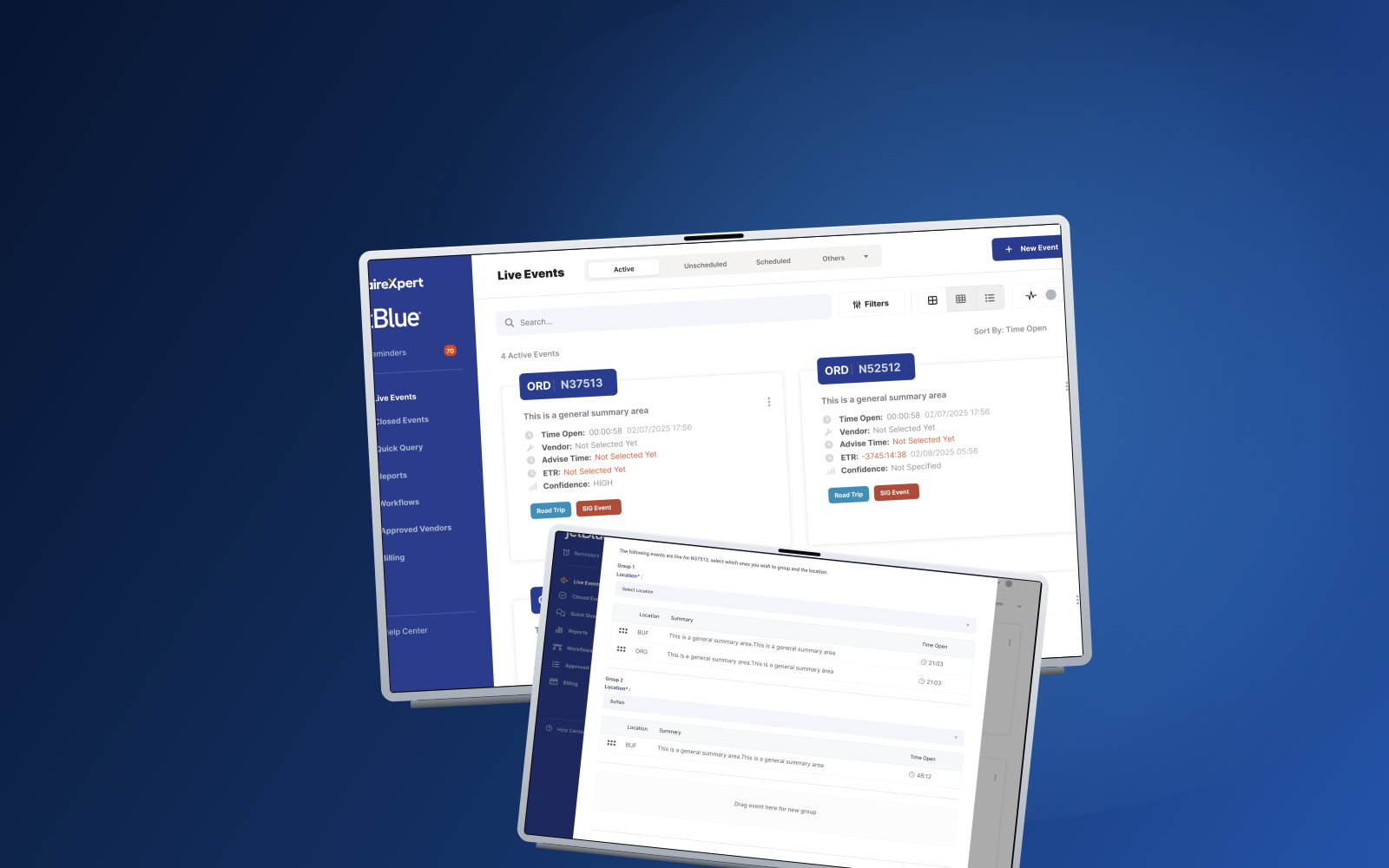
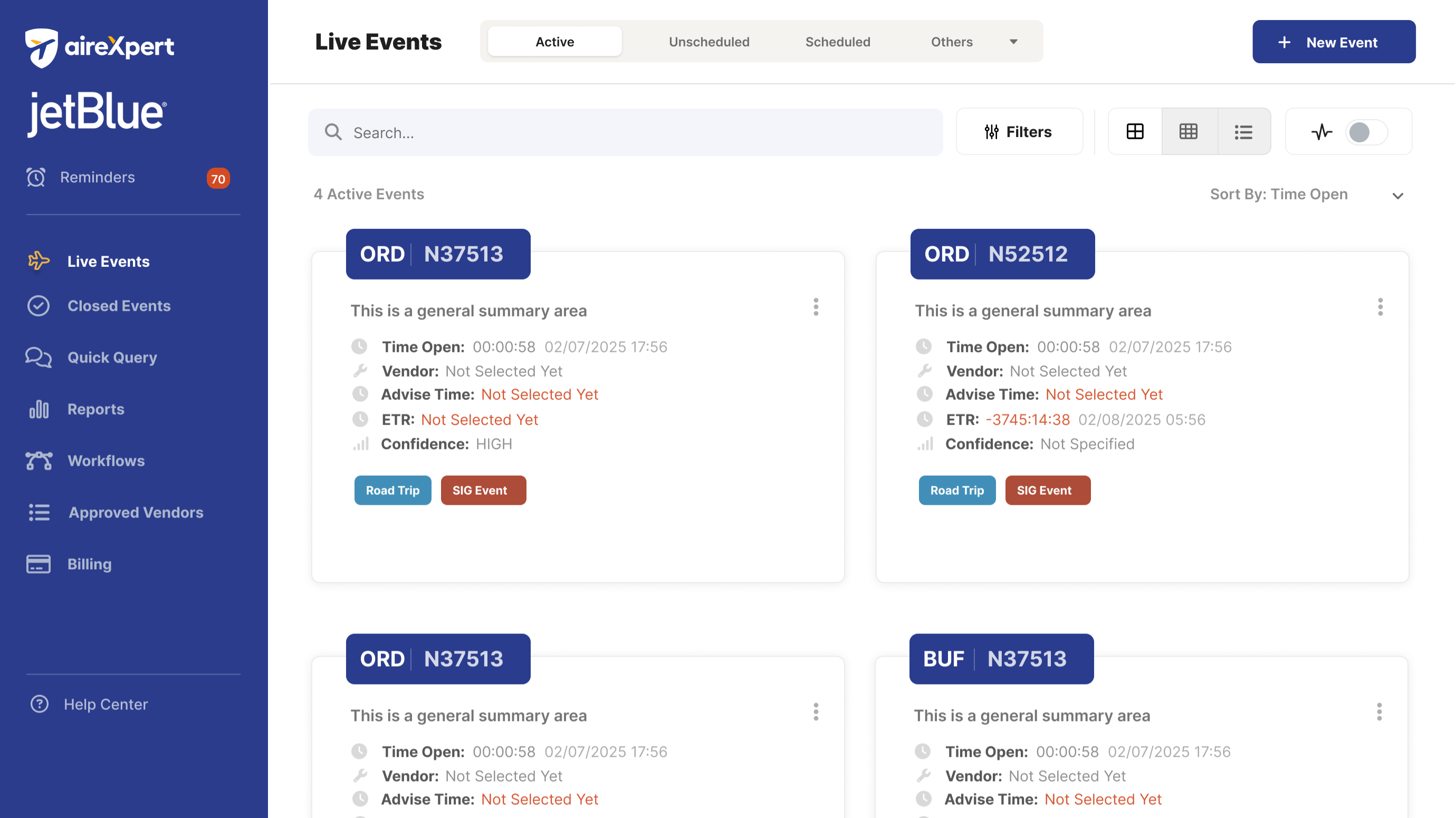
Four open tickets, one airplane, four different owners. Before grouping shipped, AirExpert had no idea those tickets belonged together — so the team didn’t either, until someone walked over and said it out loud. As Lead Product Designer I introduced a coordination primitive that lets tickets travel together, so the connection between jobs shows up before someone has to chase it down.
The problem
AirExpert treated every ticket as its own effort, even when a handful of them all belonged to the same aircraft and the same maintenance event. Tickets opened minutes or days apart on the same tail number, by different owners, made it easy to miss that two jobs were competing for the same downtime, the same tools, or the same mechanic.
On the hangar floor this surfaced as duplicated work, conflicting priorities, and last-minute coordination calls. Sometimes critical repairs got delayed and grounding time stretched. Teams needed a way for the product to show ticket relationships up front, so the connection between jobs didn’t depend on someone remembering to mention it.
The solution
I designed a grouping model that connects tickets tied to the same plane and the same maintenance context. Users can group tickets during creation, add tickets to existing groups later, and separate them when the relationship no longer holds. The UI carries grouped work wherever mechanics and coordinators already spend time: the ticket detail, the aircraft page, the assignment list. Coordination becomes a shape the product shows you rather than a meeting on the floor.
Flexible grouping workflows
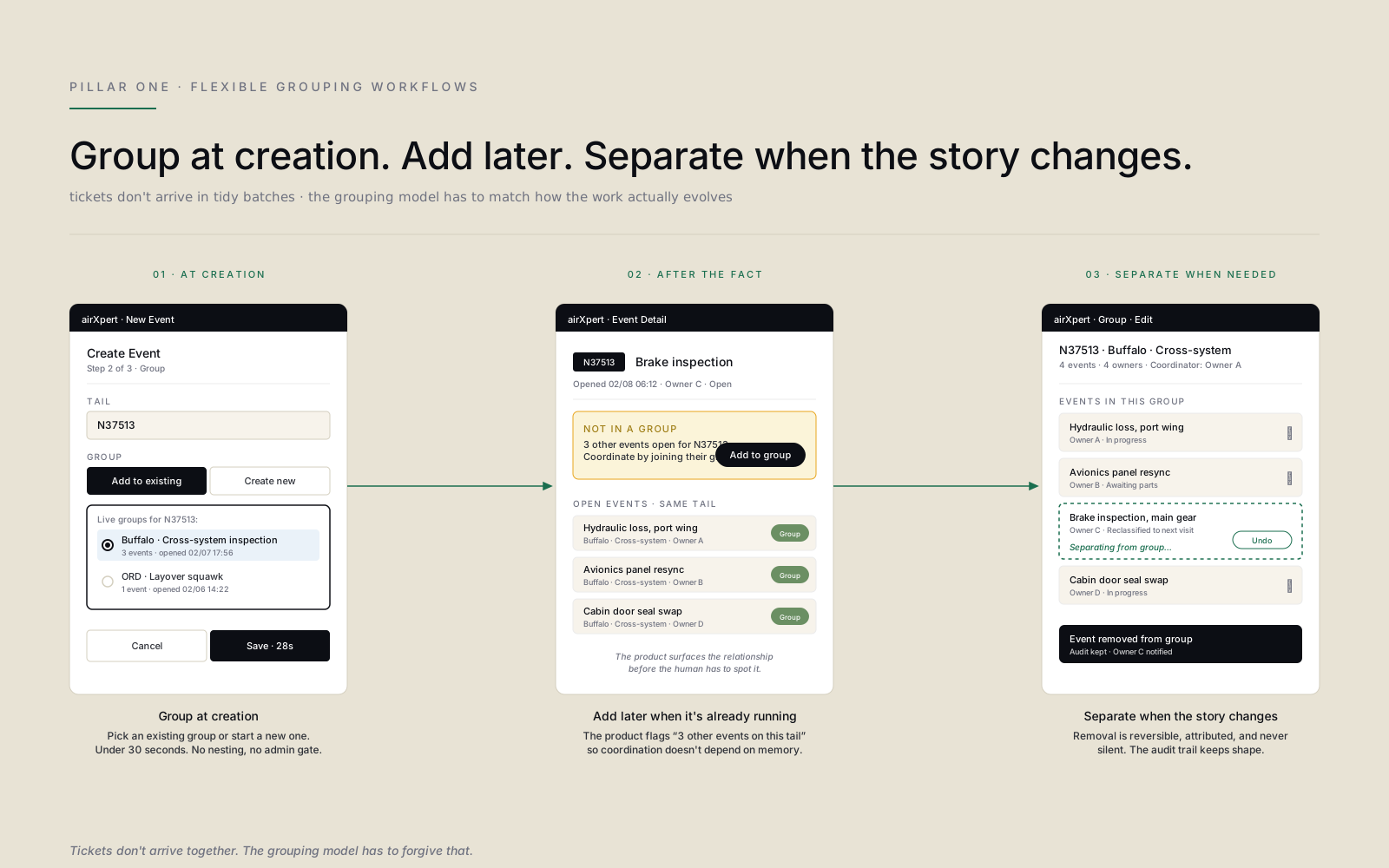
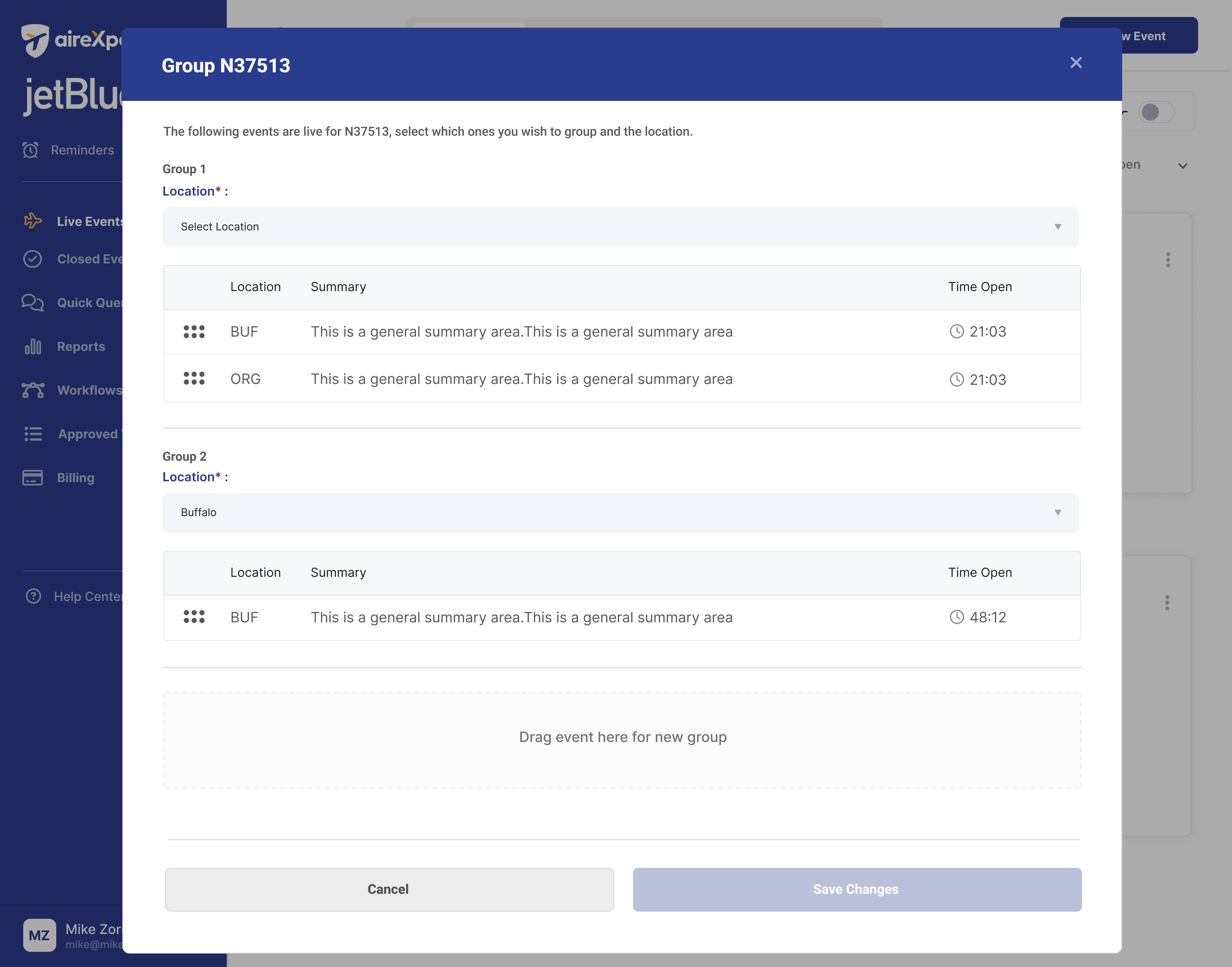
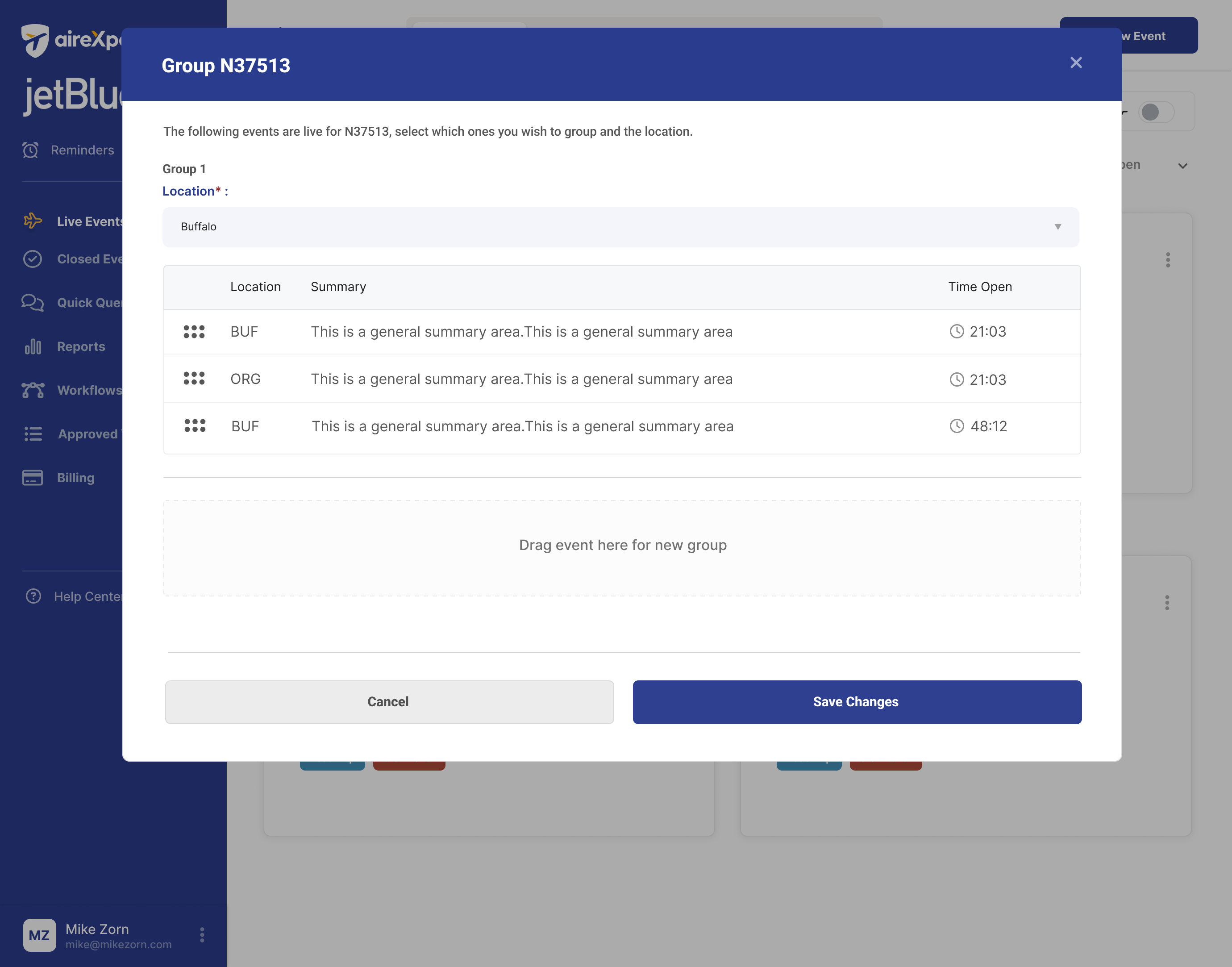
Tickets don’t arrive in tidy batches, and the grouping model can’t pretend they do. Teams can group at creation, join an existing group after the fact, or separate a ticket when the relationship changes. Each path is reversible. Each action is attributed. The product flags “3 other events open for this tail” the moment the fourth ticket gets created, so coordination doesn’t depend on memory.
Contextual visibility
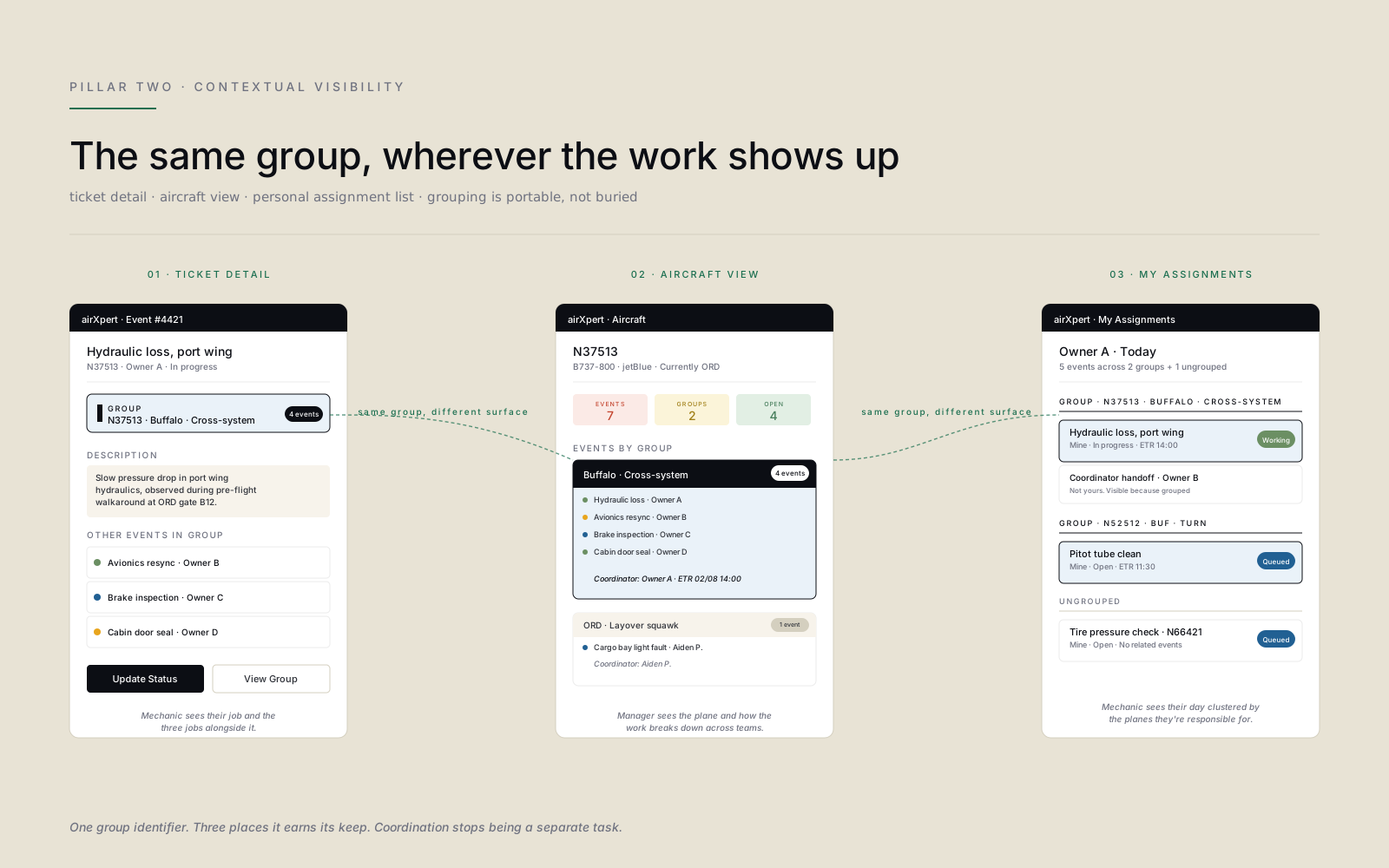
A group identifier travels with the work. The same “N37513 · Buffalo · Cross-system inspection” chip surfaces on the ticket detail page, on the aircraft summary, and inside a mechanic’s personal assignment list. Coordination stops being a separate task and becomes a permanent feature of the screens people already use.
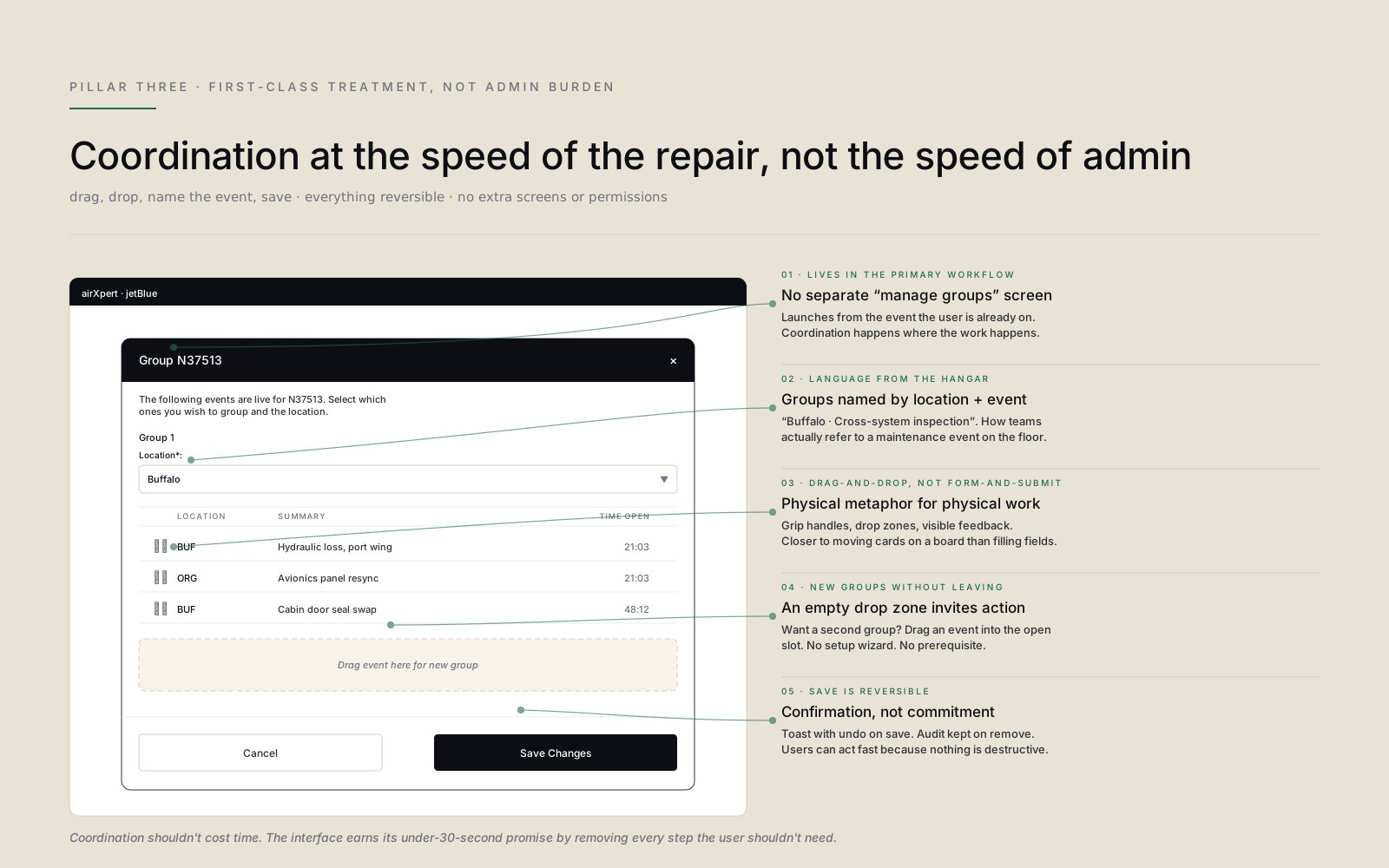
First-class treatment, not admin burden
Grouping had to be fast or it wouldn’t get used during urgent repairs. The flow lives inside the primary workflow rather than in a separate management screen: drag-and-drop rather than form-and-submit, language pulled from the hangar floor (“Buffalo · Cross-system inspection”) rather than admin jargon, and a reversible save so users can act quickly without fear of breaking the audit trail.
Research & approach
- 01 Created personas by clustering patterns across responsibility level, urgency, and ticket-switching frequency. Two key mindsets emerged: mechanics who execute repairs and need fast context, and coordinators who manage work and need confidence that nothing conflicts. The design has to serve both without becoming two products.
- 02 Mapped the customer journey from aircraft arrival with multiple issues through inspection findings, identifying the critical pain point: when new tickets get created later for the same plane, priorities shift and uncommunicated dependencies appear. The journey map turned a vague complaint into a specific moment the design could attack.
- 03 Designed grouping as a first-class element of the ticket experience, not a hidden admin feature. Users can choose existing groups during creation or create new groups with names that match how teams actually talk about maintenance events (location and event, not internal IDs).
- 04 Built a grouped-tickets module on the ticket detail page showing related tickets, owners, and status, so mechanics could spot dependencies without leaving their workflow. The same module pattern surfaces on the aircraft view and the assignment list. One component, three contexts.
- 05 Ran usability testing with mechanics and maintenance leads using realistic scenarios: tickets created simultaneously, tickets added later, incorrect groupings needing to be undone. Iterated on language and confirmation patterns based on observed hesitation. The hesitation, not the verbal feedback, was where the real design problems lived.
Ticket grouping changed how we coordinate work on the floor. Now when a plane has multiple issues, everyone can see the full picture and plan together instead of stepping on each other.
Maintenance Operations Manager · Regional Airline
Team & leadership impact
- Led
- UX and UI design for the grouping initiative as Lead Product Designer
- Partnered with
- Maintenance managers, field technicians, and engineering on the ticket data model and rollout
The lasting contribution wasn’t the modal. It was the mental model. AirExpert tickets stopped being islands and started behaving like parts of a maintenance event. That framing reshaped how the team thought about adjacent surfaces (aircraft view, assignment list, reporting) and gave product a vocabulary for coordinating work that matched the way teams actually talk on the hangar floor.
What I’d do differently
We launched grouping as an opt-in behavior. Users had to actively assign a group when creating or editing a ticket. In hindsight I’d push harder for product-driven suggestions. When a fourth open ticket gets created for the same tail number, the system should propose grouping it with the existing three by default, with a one-click confirm. The design pattern was there. The willingness to nudge wasn’t. The teams who adopted grouping loved it. The teams who didn’t were the ones who never crossed the activation threshold.
The lasting contribution wasn’t the modal. It was the mental model — tickets that travel together, named the way the hangar floor actually talks.